Indian Compliance
ICEGATE Registration 2026: Process, Documents, Fees & Login (Step-by-Step Guide)
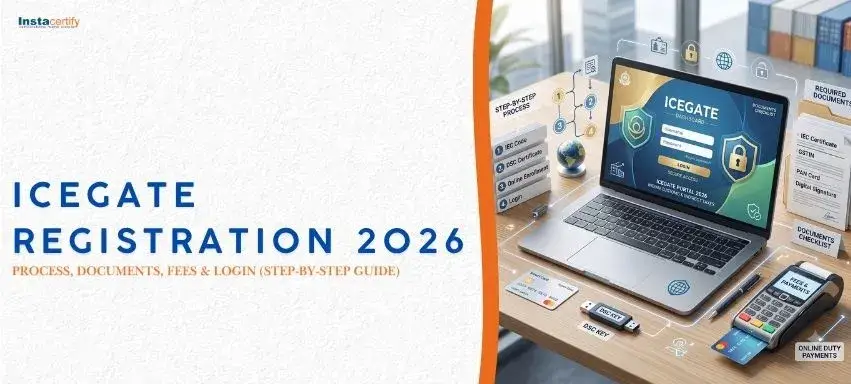
ICEGATE (Indian Customs EDI Gateway) registration is the online account every importer, exporter or customs broker needs to file bills of entry and shipping bills, pay customs duty and track shipments. Registration on ICEGATE is free of government fees. You need an Import Export Code (IEC), a Class 3 Digital Signature Certificate (DSC), PAN, GSTIN and a mobile number and email linked to your IEC. Approval usually takes 1–3 working days. The full process, documents, fee breakdown and fixes for common errors are below.
[IMAGE PLACEHOLDER – Infographic: IEC → ICEGATE → AD code – how the three registrations fit together]
Insert image here; add descriptive alt text with the primary keyword.
What is ICEGATE registration?
ICEGATE is the e-commerce portal of the Central Board of Indirect Taxes and Customs (CBIC). Registering creates an ICEGATE ID linked to your IEC that lets you:
- File Bills of Entry (imports) and Shipping Bills (exports) electronically
- Pay customs duty online (e-payment) and claim IGST refunds and drawback
- Register your AD Code and bank account at each port for export remittances
- Track document and shipment status, get e-Sanchit document uploads
- Receive customs queries and respond without visiting the custom house
The current platform is ICEGATE 2.0, launched to simplify registration: PAN and IEC data are auto-verified from DGFT, and most users complete registration without physical paperwork.
Is ICEGATE registration mandatory?
Yes for anyone who wants to file customs documents or register an AD code in their own name. Importers, exporters, Customs Brokers (CHAs), shipping lines, airlines, console agents and courier companies all register under their user category. If a customs broker files on your behalf, you still benefit from your own ICEGATE ID for duty payment, refunds and AD-code registration.
Types of ICEGATE registration
| Type | Who | Requirement |
|---|---|---|
| Simplified registration | IEC holders who do not file documents themselves (most importers/exporters) | IEC + GSTIN; OTP-based, no DSC |
| Full registration with DSC | IEC holders, customs brokers and others who file documents, e-sanchit uploads, AD code, refunds | Class 3 DSC (organisation) + documents |
| Partnership / agency users | Shipping lines, airlines, CFS, custodians | Category-specific approvals |
For most businesses that import or export regularly, full registration with DSC is the right choice because AD-code registration and IGST refunds need it.
Documents required for ICEGATE registration
- Import Export Code (IEC) certificate from DGFT
- PAN card of the entity and of the authorised signatory
- GST registration certificate
- Class 3 DSC (organisation) of the authorised signatory, issued by a licensed CA
- Board resolution / authorisation letter naming the signatory (companies, LLPs, partnerships)
- Aadhaar or photo ID of the signatory
- Cancelled cheque or bank certificate (for AD code / bank registration)
- Licence from customs (only for Customs Brokers, shipping lines, etc.)
[IMAGE PLACEHOLDER – Screenshot series: ICEGATE 2.0 registration screens (register, OTP, DSC upload)]
Insert image here; add descriptive alt text with the primary keyword.
ICEGATE registration process: step by step
Step 1 – Get your IEC and DSC in order
Check that the IEC is active on DGFT and that the mobile and email on the IEC are current – ICEGATE sends OTPs to these. Buy a Class 3 organisation DSC with a USB token and install the ICEGATE signing utility.
Step 2 – Open the registration page
Go to icegate.gov.in → "Register" → choose the user type (IEC holder, Customs Broker, etc.) and the registration type (Simplified or with DSC).
Step 3 – Enter IEC and PAN and verify OTP
The portal fetches IEC details from DGFT. Verify the mobile OTP and email OTP.
Step 4 – Create user ID and password
Choose a unique ICEGATE ID and password; set security questions.
Step 5 – Upload documents and sign with DSC
Upload the authorisation letter, PAN, GST and ID proofs (PDF, within size limits), then sign the application using the DSC token.
Step 6 – Approval
ICEGATE verifies the application; approval typically arrives by email within 1–3 working days. If a query is raised, respond through the same login.
Step 7 – Post-registration set-up
Log in, register your AD code and bank account at each port of export, add Customs Broker authorisations if needed, and link your e-Sanchit profile.
ICEGATE registration fees
| Item | Cost |
|---|---|
| ICEGATE registration (government fee) | Nil |
| Class 3 organisation DSC (2 years) with token | ₹1,500 – ₹3,500 |
| IEC application (DGFT, if you do not have one) | ₹500 |
| Professional assistance (registration + AD code) | ₹2,000 – ₹6,000 |
ICEGATE login and common errors
- "IEC not found / inactive" – update the IEC on DGFT (annual IEC update is mandatory) and retry after 24 hours.
- OTP not received – the mobile/email on DGFT differs from what you expect; correct it on DGFT first.
- DSC not detected – install the token driver and the ICEGATE DSC utility, use a supported browser, and check that the DSC PAN matches the signatory PAN.
- Document rejected – authorisation letter unsigned or not on letterhead, PDF exceeds size limit, or PAN mismatch.
- Password locked – use "Forgot password" on the login page; OTP goes to the registered mobile.
ICEGATE vs IEC vs AD code: how they fit together
The IEC is your DGFT licence to trade; ICEGATE is the customs filing account built on that IEC; the AD code is your bank's authorised-dealer code registered on ICEGATE at each port so export proceeds can be reconciled. You need all three before the first shipment.
Benefits of ICEGATE registration
- 24×7 online filing and duty payment – no custom-house visits
- Faster IGST refunds and duty drawback credit
- Real-time shipment and query tracking
- Single window (SWIFT) integration with other agencies such as FSSAI, PQ, AQ, WPC and Drug Controller
Need help with ICEGATE, IEC or AD code registration?
Instacertify Labs handles IEC, ICEGATE and AD-code registration for first-time importers and exporters, alongside product-side approvals that customs checks at clearance – BIS CRS, WPC ETA, IMEI registration and EPR. See our Indian import compliance hub and the guide to importing from China. Contact us for a free consultation.
Frequently asked questions
What is ICEGATE registration?
It is the creation of a user account on the Indian Customs EDI Gateway, linked to your IEC, for filing customs documents, paying duty and registering AD codes.
Is there any fee for ICEGATE registration?
No government fee. Your only costs are a Class 3 DSC (about ₹1,500–₹3,500) and any professional help you choose.
How many days does ICEGATE registration take?
Usually 1–3 working days after the signed application is submitted, provided the IEC and PAN data match.
Is DSC mandatory for ICEGATE?
Simplified registration is OTP-based, but a Class 3 DSC is required for filing documents, e-Sanchit uploads, AD-code registration and refunds.
Can I register on ICEGATE without an IEC?
No. IEC is the primary identifier; obtain it from DGFT first.
What is ICEGATE 2.0?
The upgraded portal with simplified, OTP-based onboarding and auto-verification of IEC and PAN from DGFT and CBDT.